The "Enterprise CRM" Trap for Solo Freelancers
Every freelancer eventually hits a breaking point: you have too many active clients to manage out of your inbox, and sticky notes are no longer a viable operations strategy. So, you Google "Best CRM", and immediately sign up for the free tier of a massive enterprise platform like HubSpot, Salesforce, or Zoho.
This is a massive mistake.
Within two weeks, you're spending more time updating the "deal stages" in your CRM than you are actually doing the work. You don't need a tool designed for a 50-person outbound sales team with a VP of Revenue. You are a team of one.
Why Generic CRMs Fail Independent Professionals
Enterprise Customer Relationship Management (CRM) tools are built to solve management problems: tracking salespeople, forecasting quarterly revenue, and monitoring call volumes. As a freelancer, you don't have these problems.
A solo professional's CRM needs to solve entirely different problems:
- Context Retrieval: "What exactly did I promise this client on our last call?"
- Follow-up Automation: "Has it been 3 months since I last checked in with my favorite past client?"
- Project Handoff: "Is the contract signed and the deposit paid so I can begin work?"
The Three Pillars of a Freelance-First CRM
If you're evaluating CRMs in 2026, here is the exact feature set you actually need to look for:
1. The "Client Timeline" View
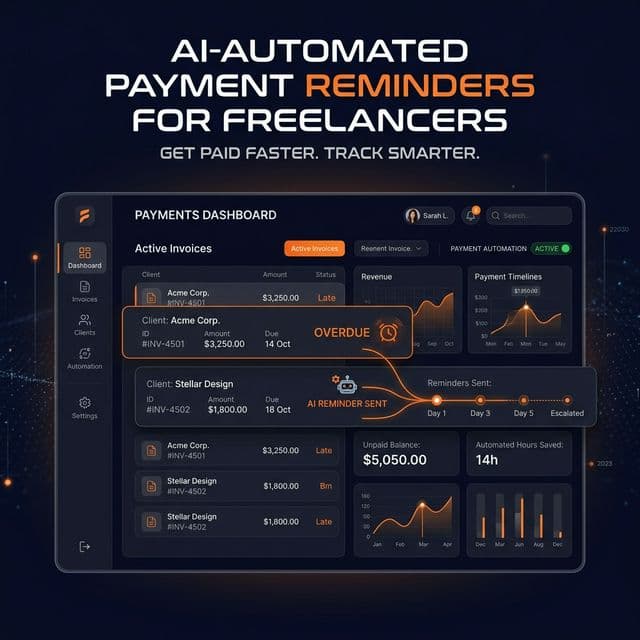
You don't need complex pipeline Kanban boards. You need a linear, chronological timeline for each client. When you click on a client's name, you should instantly see: the initial contract, all invoices (paid and unpaid), project notes, and the next scheduled follow-up. This is exactly how the FreelancerPulse Client Dashboard is structured.
2. Automated "Check-in" Intelligence
Your best source of new work is your past clients. Yet, most freelancers forget to follow up with clients after a project ends. A specialized freelance CRM will automatically notify you when it's been 60, 90, or 120 days since your last interaction with an 'A-Tier' client, prompting you to send a quick "How are things going?" email.
3. Deep Integration with Billing and Contracts
If your CRM doesn't automatically know when a client has paid an invoice or signed a contract, it's useless. In generic CRMs, you have to manually update a deal stage to "Won" after checking your bank account. In an integrated system like FreelancerPulse, the moment a client pays their deposit, their project status automatically updates to "Active" and their onboarding sequence begins.
Stop Managing Software. Start Managing Relationships
The goal of a CRM is not to collect data—it's to reduce your mental load. If you are spending more than 10 minutes a day managing your CRM, you are using the wrong tool.
FreelancerPulse replaces the bloat of enterprise sales tools with a hyper-focused client management system built specifically for the workflows of independent developers, designers, and writers.
Ready to get organized? Create your Free FreelancerPulse account today and import your clients in seconds.