The Shift from Simple Links to Automated Workflows
If you're still sending basic PDF invoices or raw Stripe payment links to your clients in 2026, you are losing money to administrative overhead and delayed payments. The era of manual freelance billing is over.
Today's top-earning freelancers don't just use "payment processors"—they use complete financial operating systems that handle the entire lifecycle of a project's cash flow, from the initial estimate down to the final late-fee reminder.
2026 Invoicing Software Comparison Table
To help you choose the right billing software for your freelance career, here is a detailed breakdown of the top platforms in 2026:
| Platform | Starting Price | AI Reminders? | Key Focus | Best Fit |
|---|---|---|---|---|
| FreelancerPulse | Free ($14.99 Pro) | Yes (Tone Control) | Deposit tracking + Automated reminders | Solo freelancers looking to recover late payments fast |
| Bonsai | $25.00/mo | Basic (No AI) | All-in-one freelance management | Agencies or established contractors with budget |
| HoneyBook | $40.00/mo | Basic (No AI) | Client communication workflows | Photographers, event planners, and local service providers |
| FreshBooks | $19.00/mo | Basic (No AI) | General double-entry accounting | Growing small teams needing advanced tax reporting |
| QuickBooks | $30.00/mo | Basic (No AI) | Traditional bookkeeping | Freelancers working with certified accountants |
Why Basic Tools Are Costing You Money
Traditional tools like basic PayPal invoices, QuickBooks Self-Employed, or manual Stripe links all share the same fatal flaw for solo operators: they wait for you to take action.
- You have to remember to send the invoice.
- You have to manually track who has paid.
- You have to write the uncomfortable "Hey, did you see this?" follow-up email.
A 2026 financial survey showed that freelancers using manual systems spend an average of 4.5 hours per week managing accounts receivable. That is half a workday lost.
The Core Features of Modern Freelance Invoicing
When evaluating the best invoicing software for freelancers, look for these three non-negotiable features:
1. AI-Driven Follow-Up Sequences
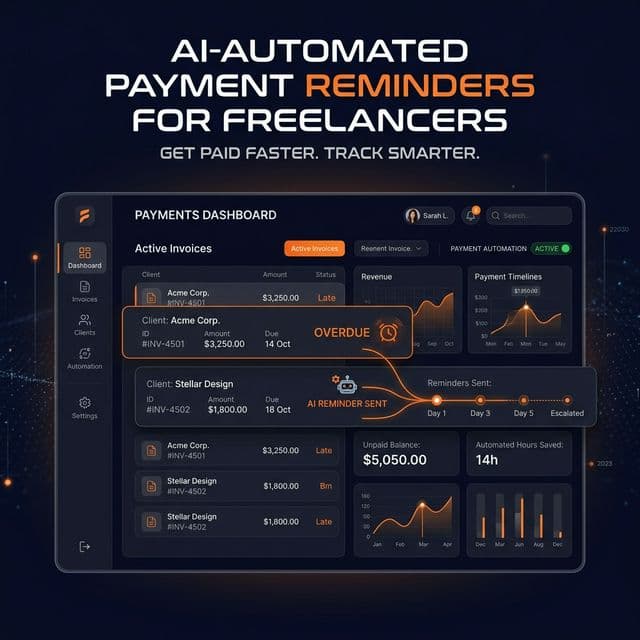
The best tools, like the FreelancerPulse DepositPulse system, allow you to dictate a reminder schedule once, and then the AI handles the follow-ups. It crafts professionally calibrated emails that escalate from a gentle nudge to a firm notice perfectly timed around the due date.
2. Integrated Project Estimation
Invoicing shouldn't start when the project is done. It should start at the proposal stage. Modern tools link your initial project estimate directly to your invoicing system, converting an approved estimate into a scheduled payment milestone automatically.
3. Zero-Friction Payment Options
Your invoice should include an embedded payment button that supports everything: Credit Cards, Apple Pay, Google Pay, and localized bank transfers. Any friction between the client opening the invoice and the payment processing reduces your chance of getting paid on time.
Why FreelancerPulse Is Built Differently
Most accounting software is built for small businesses with dedicated accounting staff. FreelancerPulse is built specifically for the solo operator.
By combining AI project estimators, contract templates, and an intelligent invoicing engine, it acts as your automated Chief Financial Officer.
Ready to stop chasing payments? Create your free FreelancerPulse account today and send your first automated invoice in under 5 minutes.