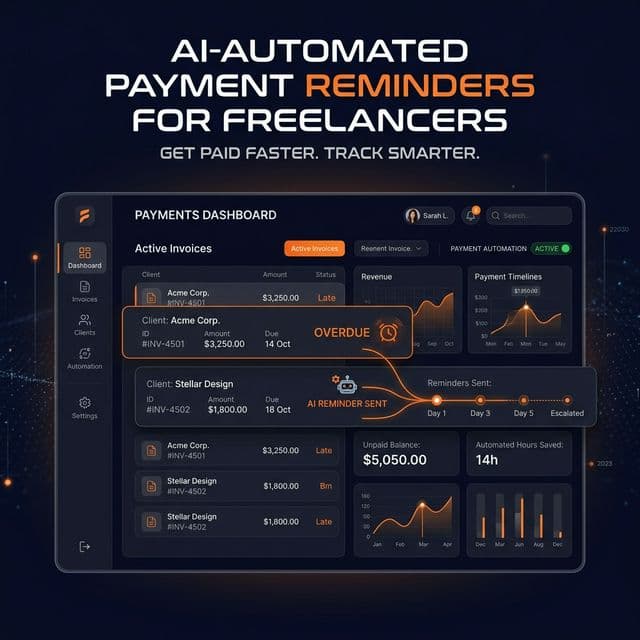
Why Manual Invoice Follow-Up Is a Business Liability
If you are sending payment reminders manually, you are relying on your memory, your mood, and your willingness to write an awkward email to recover money you have already earned. All three of those things will fail you eventually.
According to data from the 2025 Freelancer Finance Report, freelancers who use automated payment reminder systems get paid an average of 12 days faster than those who follow up manually. Over a year, that is a meaningful cash flow advantage — and it costs almost nothing to set up.
What Automated Invoice Reminders Look Like
An automated reminder system works like this:
- You create an invoice with a due date and client email
- The system sends a pre-configured sequence of emails on your behalf
- Each email in the sequence escalates slightly in tone
- When the invoice is marked paid, reminders stop automatically
You set this up once per invoice (or use a global template). Then it runs automatically — no monitoring required.
The Ideal Automated Reminder Sequence
- 3 days before due date: "Hey — just a friendly reminder your invoice is due in 3 days." (Warm, casual)
- On the due date: "Invoice #X is due today. Here is the payment link." (Professional, factual)
- 3 days after due date: "Your invoice is now 3 days overdue. Please arrange payment." (Firm, direct)
- 7 days after due date: "This is a formal notice — Invoice #X is 7 days overdue." (Formal, urgent)
This sequence hits every psychological trigger. The pre-due reminder prevents the "I forgot" excuse. The overdue sequence creates escalating social pressure without requiring you to do anything.
How to Set This Up With DepositPulse
- Sign up for a free FreelancerPulse account
- Navigate to DepositPulse → Create New Invoice
- Enter the client name, email, invoice amount, and due date
- Select your reminder sequence template (3-stage, 4-stage, or custom)
- Choose your preferred tone (Gentle, Professional, or Firm)
- Click Activate — the system handles everything from here
The entire setup takes under 3 minutes per invoice. Once activated, you will receive a notification when each reminder is sent and when the invoice is marked paid.
Pro Tip: Use Different Tones for Different Clients
Not every client relationship is the same. DepositPulse lets you configure different default tones per client:
- Long-term/valued clients: Use the "Gentle" tone throughout — preserve the relationship
- New clients: Use "Professional" — establish boundaries without being aggressive
- Clients with payment history issues: Start at "Firm" — they need to know you mean business
This level of contextual nuance is what separates automated systems from just blasting the same template at everyone.
Start Automating Today
The free plan on FreelancerPulse includes 1 active invoice with basic reminder functionality. The Pro plan unlocks unlimited invoices, full tone customization, and the 4-stage escalation sequence.